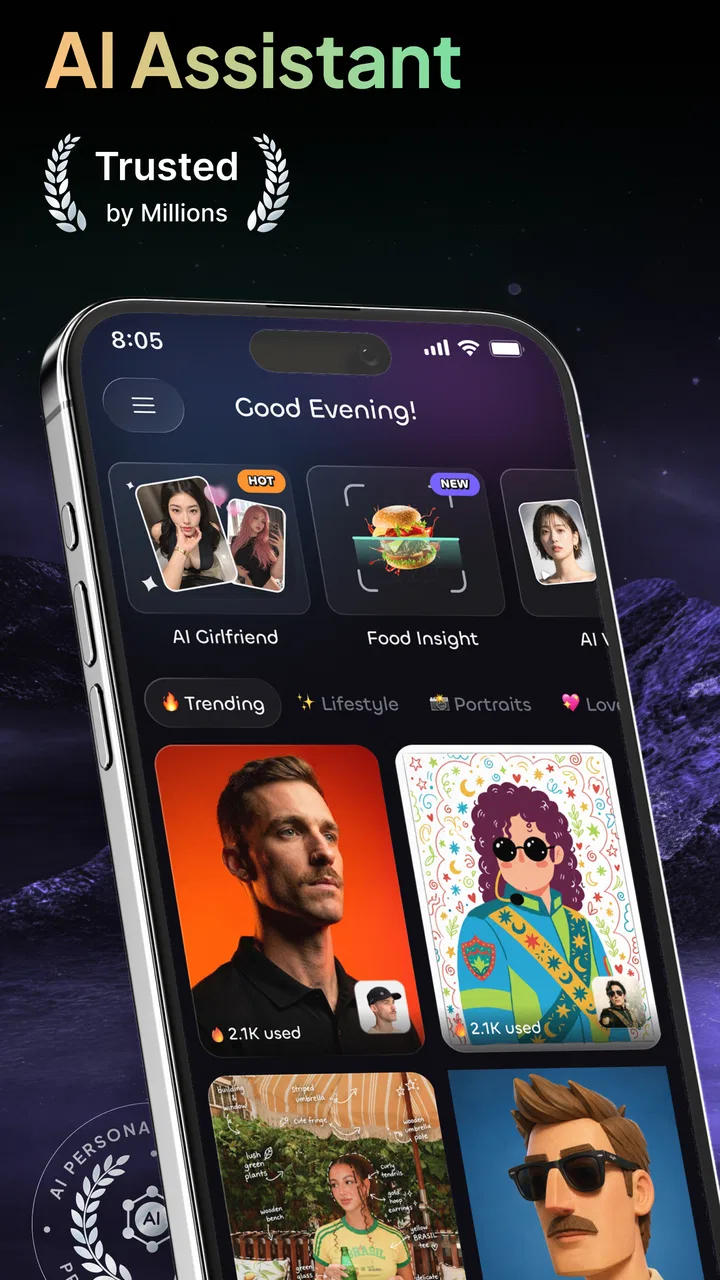
Gendi AI - Ask AI Assistant
- 4.4
- Rating
- 1.00M
- Installs
- Free
- Price

 Analysis by App-foxy
I approached Gendi AI as a practical productivity tool rather than as a novelty chatbot. Its promise is broad: it brings conversation, writing help, image-related tasks, and everyday productivity into one place. That combination can be convenient, but it also raises an important question for me: does a single assistant make routine work simpler, or does it create another place to manage carefully?
After spending time with the app, my answer is cautiously positive. I can see why it has reached over a million installs and a 4.4 average from around 1,200 ratings. It is easy to understand, quick to start using, and flexible enough for several small tasks in the same session. At the same time, I would not treat it as an automatic replacement for a dedicated writing app, image editor, notes system, or specialist research tool.
Gendi AI is a free productivity app from Growly, rated for Everyone, with optional purchases ranging from $5.99 to $239.99 per item. The current version is 1.10.0, and it runs on Android 7.0 or later. Those details make it accessible to a wide range of phones, but the real decision is less about compatibility and more about how comfortable you are placing different kinds of requests in one AI workspace.
You May Also Like

 Blood Strike: 2.5 Anniversary
Blood Strike’s Loadouts Turn Every Drop Into a Tactical Gamble
A close look at Blood Strike’s custom loadouts: how fast access to signature weapons reshapes its battle royale rhythm, rewards preparation, and narrows the gap between fights.

 Pandora - Music & Podcasts
Pandora’s Music Is Easy to Start, but Harder to Recover
Pandora’s strength is its low-effort path from a seed to a station. Its weak spot is how much confidence it asks you to place in connection, setup, and quiet recovery.

 8 Ball Pool
 Is Built on Rivalries, Rematches, and Routine
A close look at the rivalries, rematches, shared routines, and unanswered safety questions that turn a quick pool match into a persistent mobile community.

 Samsung Music
’s Quiet Strength Is Playing What You Already Own
Its reach comes less from spectacle than from dependable access to a personal library. That simplicity is both the app’s strongest retention engine and its ceiling.

 AccuWeather: Weather Radar
AccuWeather Review: A Quick, Clear Forecast for Everyday Decisions
For everyday plans, the best forecast is the one you can understand quickly. AccuWeather makes rain timing, radar, and local conditions easy to act on, with a few trade-offs.

 Hill Climb Racing
Why Hill Climb Racing Still Turns Crashes Into One More Run
A tiny car, a bumpy hill and one more upgrade: Hill Climb Racing keeps resurfacing because its simple chaos makes every near-miss feel personal.
More From Our News Desk



How I judged Gendi AI as an everyday assistant
I judged Gendi AI by how it fits into ordinary work, not by expecting every request to produce a finished answer on the first try. I’ll focus on where a conversational assistant can save a few steps, and where I’d still want a more specialized tool or a careful human check. That distinction matters most when a quick experiment turns into heavier, repeated use.
A broad tool that works best for small, connected tasks
The most useful way to think about Gendi AI is as a general-purpose helper for moments when I know what I want to accomplish but do not want to build the result from scratch. I can start with a rough idea, ask for a clearer version, turn that into a short message, and then use the same conversation to prepare a related piece of content. That flow feels more natural than opening several separate tools for minor jobs.
For example, imagine I need to organize a busy Saturday. I might ask for a simple plan, turn the plan into a checklist, rewrite one item as a reminder to another person, and then ask for a more friendly tone. This is not a dramatic use case, but it is exactly where a general assistant earns its place: reducing the small amount of friction between an intention and a usable result.
The writing side is particularly approachable for people who already have something to say but struggle with structure. I found the assistant more useful when I supplied context, audience, length, and tone instead of asking for a vague “better” version. A short instruction such as “make this polite, direct, and suitable for a work message” gives the conversation a clearer target than a broad request.
That also reveals a limitation. Gendi AI can help shape an idea, but it does not remove the need for judgment. A polished paragraph can still sound too generic, miss an important detail, or make a claim that deserves checking. I would use it to create a first draft, outline choices, or simplify wording—not as the final authority on sensitive facts.
Where the combined workflow saves time
The app’s value comes from switching between related tasks without losing the thread. A student could ask for a difficult topic to be explained in simpler language, request a study outline, and then create practice questions from that outline. Someone preparing a presentation could begin with scattered notes, ask for a logical order, and then request shorter talking points.
A less obvious benefit is the ability to use conversation as a temporary workspace for thinking. Instead of trying to formulate a perfect request at the beginning, I can refine the result in stages. First I describe the goal, then I point out what feels wrong, and finally I ask for a version that fits the actual situation. This is more effective than repeatedly starting over in a blank editor.
There is a trade-off, though. A long conversation can become messy when several unrelated jobs are mixed together. I recommend opening a fresh thread for each meaningful project and stating the desired output at the top. That small habit makes it easier to find useful material later and reduces the chance that an earlier instruction affects a new request.
For quick personal organization, this approach is faster than maintaining a full project-management system. For a large project with deadlines, ownership, files, and progress tracking, a dedicated productivity platform remains the better choice. Gendi AI can help prepare the plan, but it should not be mistaken for the system that manages the plan.
Writing help that improves with specific boundaries
I got better results when I treated the assistant like an editor who needs a clear brief. I included the intended reader, the purpose, the tone, and anything that must remain unchanged. When rewriting a message, I also asked it to preserve names, dates, and commitments exactly. That is a practical safeguard because a smoother sentence is not useful if it quietly changes the meaning.
One workflow I would recommend is to request two stages rather than one. First ask for an outline or a list of possible approaches. Then choose the strongest direction and request the finished version. This makes it easier to notice weak assumptions before they are hidden inside fluent prose.
Another useful technique is asking for a “plain-language check” after drafting. I can request shorter sentences, clearer verbs, and a list of points that may confuse the reader. That is more valuable than simply asking for a more professional tone, which can sometimes produce stiff or over-polished writing.
Still, people who need strict citation management, tracked revisions, advanced formatting, or a stable house style may prefer a dedicated writing application. Gendi AI is strongest before the final production stage: brainstorming, restructuring, simplifying, and preparing alternatives.
Images require a more deliberate mindset
The image capability makes the app feel broader than a text-only assistant, but I would approach visual requests with the same care as written ones. The useful part is the ability to describe an idea conversationally and refine it rather than having to master a complicated editing interface immediately.
A good prompt for an image task should specify the subject, setting, mood, composition, and intended use. If I want a simple illustration for a personal announcement, I would also describe what should not appear. Negative instructions can be just as important as positive ones when the first result is close but not quite appropriate.
I would not rely on an AI-generated image for a factual diagram, a professional identity, or anything where exact visual accuracy matters without checking it carefully. Small details can be wrong even when the overall image looks convincing. For brand assets or detailed editing, a conventional design tool offers more predictable control.
The practical advantage here is speed during the idea stage. I can explore several visual directions before deciding whether the concept deserves more careful work elsewhere. That makes Gendi AI useful for rough concepts and personal projects, but less suitable as the only tool in a demanding visual workflow.
Trust begins with what I choose to share
Because the app brings chat, writing, images, and productivity work together, I paid close attention to user choice rather than assuming convenience equals privacy. The safest starting point is simple: I avoid entering passwords, payment details, private access codes, confidential client material, or information that belongs to someone else without permission.
This is not a criticism unique to Gendi AI. It is a sensible rule for any assistant that receives prompts or other content. The more useful the output becomes, the more tempting it is to provide detailed context. That context can also make a request more sensitive, so I try to replace real names with roles, remove unnecessary identifiers, and summarize private situations instead of copying entire documents.
For workplace use, I would establish a clear boundary before inviting colleagues to use it. Drafting a generic announcement is very different from pasting an internal report. A good team workflow can begin with sanitized examples and a review step, rather than assuming that an AI-generated answer is ready to share externally.
I also prefer to separate experimentation from important records. If I am exploring ideas, I keep the request general. If I need a final document, I move the result into the appropriate editor and check it there. This keeps the assistant in a supporting role and makes the final source of truth clear.
Controls and user agency matter more than convenience
My view of an AI app depends heavily on whether I can make deliberate choices about how I use it. With Gendi AI, I would review the app’s visible account, purchase, and privacy choices before making it part of a regular routine. I would also check what is presented during sign-in, what the app asks me to approve, and which options are available for managing my account or stopping use.
I would not assume that a free download means every capability is unlimited. The app is free to install, while optional purchases are available, so I would pay attention to any purchase screen and confirm what an upgrade changes before accepting it. This is especially important for families, since an Everyone rating describes the intended age suitability but does not replace sensible purchase controls on the device.
My preferred habit is to test the free experience with ordinary, low-risk requests first. That tells me whether the assistant fits my writing style and daily needs before I spend money. If a paid option becomes attractive, I would compare the actual benefit with how often I use the feature, rather than paying simply because the app offers more capability.
Account control is also part of usability. If I stop using an assistant, I want to know how to sign out, manage access, and remove my involvement through the choices shown in the app or its account settings. I would make those checks before storing recurring personal workflows there. A tool can be convenient and still deserve a careful exit plan.
Situations where I would slow down
The first sensitive moment is personal advice. Gendi AI can help me organize questions, prepare a conversation, or explain general information in simpler terms. I would not use its response as a diagnosis, legal decision, financial instruction, or emergency service. In those cases, the assistant may help me prepare, but a qualified person should make the consequential judgment.
The second is document rewriting. Before asking for help with a contract, medical letter, school record, or workplace file, I would remove details that are not necessary for the writing task. Often the assistant only needs the sentence structure and the intended tone, not every identifying fact in the original.
The third is image creation involving real people. I would be careful about uploading or describing someone else’s likeness, especially if the result could embarrass them or be mistaken for an authentic photograph. A quick creative experiment can become a trust problem if the people involved did not agree to it.
The fourth is factual research. I would ask the app to distinguish between a summary, an inference, and a point that needs verification. Then I would check important claims against an appropriate primary source. Fluency is not evidence, and a confident answer can still be incomplete.
How it compares with familiar alternatives
Compared with a standard notes app, Gendi AI is better at transforming rough thoughts into structured text. A notes app is usually better for predictable storage, manual organization, and keeping a clean archive that does not depend on a conversation. I would use Gendi AI to process an idea and a notes app to preserve the final version.
Compared with a dedicated writing assistant, it offers a wider range of tasks in one place, but may feel less specialized for detailed editing, formatting, or long-form revision. If most of my day involves documents, I would choose the tool that fits my editor and review process best, then use Gendi AI as an occasional drafting partner.
Compared with a dedicated image editor, the conversational approach is easier for exploring concepts but less precise for layers, exact dimensions, retouching, and repeatable brand work. Its strength is getting from “I have an idea” to “I can see a direction.” It is not automatically the best place to finish the asset.
Compared with a traditional task manager, Gendi AI is more flexible when the task is unclear. It can help me decide what the task should be. A task manager is more dependable once the work has been defined and needs reminders, status, and accountability. The two tools solve different parts of the same problem.
Who will get the most from it
I think Gendi AI suits people who regularly move between small creative and organizational jobs: drafting messages, simplifying text, planning a routine, exploring an image idea, or turning notes into a usable outline. It is also a reasonable starting point for someone who finds specialist software intimidating and wants one conversational entry point.
It can be especially helpful for independent workers who need quick first drafts but do not want to maintain a large collection of narrowly focused tools. The key is to keep the workflow modest. Use it to get unstuck, generate options, or prepare material, then apply human review before the result becomes public or important.
I would be more cautious about recommending it as the main tool for a regulated workplace, a research-heavy role, or a team that requires strict document history. In those settings, the surrounding controls and review process matter more than the convenience of having many capabilities together.
I would also skip it if I want a quiet, offline-style notes experience, a highly structured task system, or precise professional image editing. A broad assistant is not automatically better than a focused tool. It is better only when the variety of tasks is part of the problem I am trying to solve.
My cautious verdict after using it
Gendi AI is a capable general productivity companion with a sensible place in everyday routines. I like its range, especially when I can move from an unfinished thought to a clearer draft, a plan, or a visual direction without changing apps. The experience is most convincing when I treat it as a collaborator for early and middle stages of work rather than as an unquestionable answer machine.
The free entry point makes it easy to test, while the available in-app purchases mean I would inspect the choices carefully before committing to a paid path. The Everyone rating and broad Android compatibility make it approachable, but they do not remove the need for good privacy habits, purchase awareness, and review of generated content.
My recommendation is to begin with low-risk tasks: a shopping list, a personal message, a study outline, or a rough creative brief. Learn how the conversation behaves, keep separate threads for separate projects, and avoid sharing details that the task does not need. If that workflow saves you time, Gendi AI can earn a regular place beside your notes and editing tools.
My bottom line: Gendi AI is worth trying for flexible, everyday assistance, provided you keep control of the information you share and the decisions you make. I would recommend it to curious users who value convenience and iteration. I would not recommend replacing specialist software or professional judgment with it, especially when accuracy, privacy, or accountability matters more than speed.
FAQs for Gendi AI - Ask AI Assistant
01What is Gendi AI - Ask AI Assistant used for?
Gendi AI - Ask AI Assistant is designed to help with everyday questions, writing, brainstorming, explanations, summaries, and general productivity tasks. You can use it as a conversational assistant to explore ideas, improve text, learn about unfamiliar subjects, or receive suggestions. Its usefulness depends on the quality of your prompts, so clear questions and relevant context usually produce more helpful responses.
02Is Gendi AI - Ask AI Assistant free to download and use?
The application may be available to download without an upfront charge, but some features or usage limits can depend on the current subscription model. Free access may include a restricted number of requests, while premium options could provide higher limits, faster responses, or additional tools. Before using it extensively, check the app listing and in-app purchase screen for the latest pricing and conditions.
03Can Gendi AI provide accurate and reliable answers?
Gendi AI can be useful for explanations, drafting, and general information, but its answers should not be treated as guaranteed facts. Like other AI assistants, it may misunderstand a question, provide incomplete information, or generate confident-sounding errors. Always verify important details using trustworthy sources, particularly for medical, legal, financial, academic, employment, or safety-related decisions.
04Does Gendi AI protect my conversations and personal information?
Before sharing private content, review Gendi AI’s privacy policy and the permissions requested by the application. Avoid entering passwords, financial details, identity documents, confidential business information, or sensitive personal data unless you clearly understand how that information is handled. Conversation storage, processing, and deletion options can vary, so privacy settings and the developer’s terms are worth checking before regular use.
05Does Gendi AI require an internet connection, and what devices support it?
AI assistants generally need an active internet connection because requests are processed through online services rather than entirely on the device. Performance can therefore depend on connection quality, server availability, and the app’s current version. Confirm that your Android or iOS device meets the supported operating-system requirements, and remember that mobile data usage may apply when Wi-Fi is unavailable.
Pros
- Natural conversational answers with useful follow-up suggestions.
- Helps summarize
- rewrite
- translate
- and brainstorm content quickly.
- Simple interface makes it easy for first-time AI users.
- Useful for drafting emails
- captions
- notes
- and everyday questions.
- Can boost productivity when handling repetitive writing tasks.
Cons
- Some answers may sound confident while containing inaccurate information.
- Advanced features may require a subscription or usage limits may apply.
- Privacy details should be checked before sharing sensitive personal data.
- Response quality can vary depending on how clearly prompts are written.
- AI-generated text may need editing to match your preferred tone and style.

Gendi AI - Ask AI Assistant
Gallery